3. Animate view layout elements
Scenes
Transition Framework can also be used to animate element changes within current activity layout.
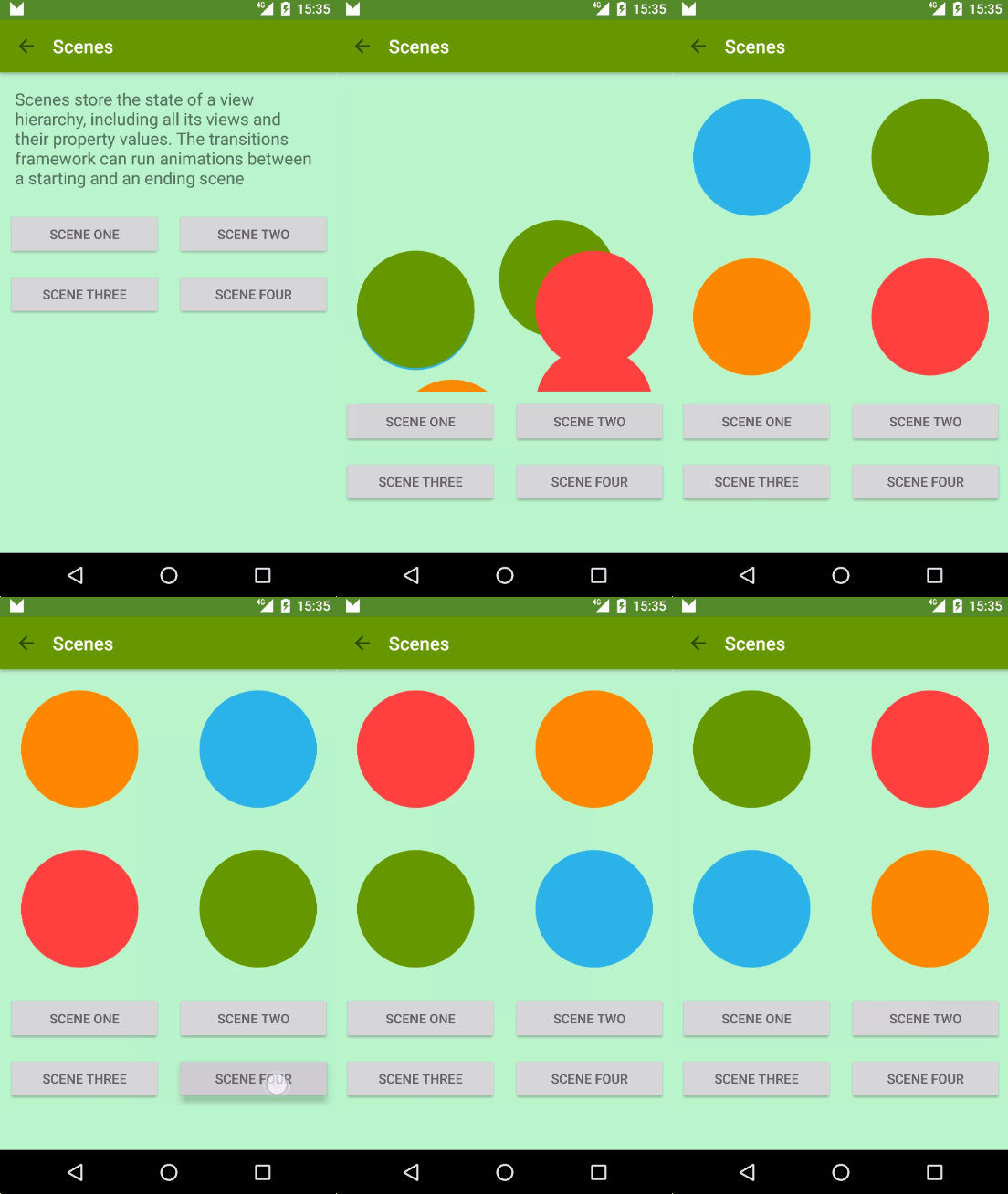
Transitions happen between scenes. A scene is just a regular layout which defines a static state of our UI. You can transition from one scene to another and Transition Framework will animate views in between.
scene1 = Scene.getSceneForLayout(sceneRoot, R.layout.activity_animations_scene1, this);
scene2 = Scene.getSceneForLayout(sceneRoot, R.layout.activity_animations_scene2, this);
scene3 = Scene.getSceneForLayout(sceneRoot, R.layout.activity_animations_scene3, this);
scene4 = Scene.getSceneForLayout(sceneRoot, R.layout.activity_animations_scene4, this);

(...)

@Override
public void onClick(View v) {
    switch (v.getId()) {
        case R.id.button1:
            TransitionManager.go(scene1, new ChangeBounds());
            break;
        case R.id.button2:
            TransitionManager.go(scene2, TransitionInflater.from(this).inflateTransition(R.transition.slide_and_changebounds));
            break;
        case R.id.button3:
            TransitionManager.go(scene3, TransitionInflater.from(this).inflateTransition(R.transition.slide_and_changebounds_sequential));
            break;
        case R.id.button4:
            TransitionManager.go(scene4, TransitionInflater.from(this).inflateTransition(R.transition.slide_and_changebounds_sequential_with_interpolators));
            break;
    }
}
That code would produce transition between four scenes in the same activity. Each transition has a different animation defined.
Transition Framework will take all visible views in current scene and calculate whatever necessary animations are needed to arrange those views according to next scene.
Layout changes
Transition Framework can also be used to animate layout property changes in a view. You just need to make whatever changes you want and it will perform necessary animations for you
a) Begin Delayed Transition
With just this line of code we are telling the framework we are going to perform some UI changes that it will need to animate.
TransitionManager.beginDelayedTransition(sceneRoot);
b) Change view layout properties
ViewGroup.LayoutParams params = greenIconView.getLayoutParams();
params.width = 200;
greenIconView.setLayoutParams(params);
Changing view width attribute to make it smaller will trigger a
layoutMeasure. At that point the Transition framework will record start and ending values and will create an animation to transition from one to another.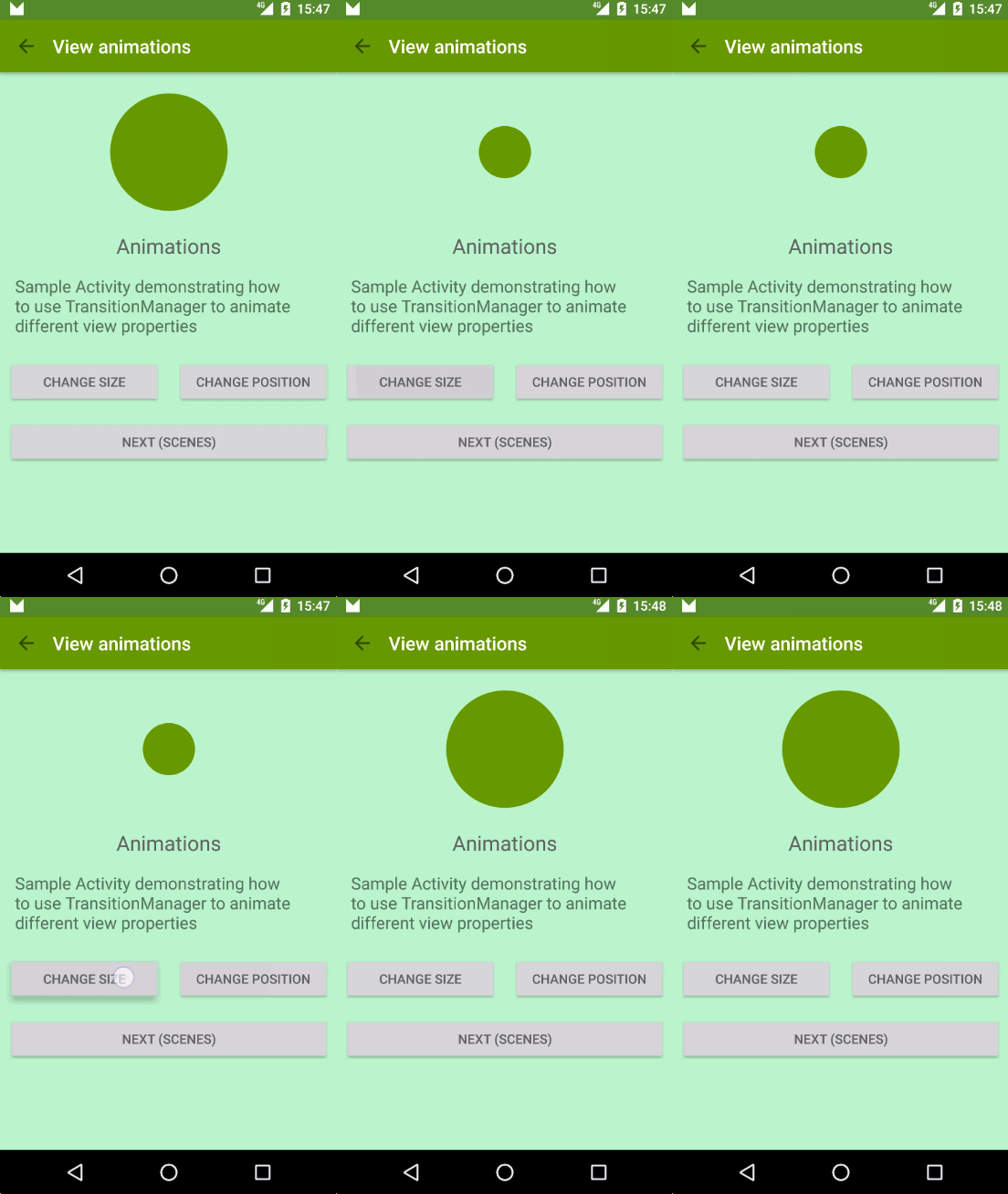
Comments
Post a Comment